In development · early access
A wall touch panel for your smart home — laid out in your browser.
For Home Assistant and Loxone, with Fibaro in testing. Lights, blinds, climate, scenes and the front door on one wall screen. You change the layout in your browser — the designer runs on the panel itself, so there is nothing to compile and no developer to call.
Lumapanel runs on prototypes and is not on sale yet.
How it works
Change the screen, not the firmware
The screen layout is a project the panel reads while it runs. Editing it never means recompiling or flashing.
Open the panel in a browser
Type the panel’s address. The designer runs on the panel — nothing to install, no cloud account to create.
Arrange your pages
The panel asks your automation system for its devices, scenes and sensors. Drag them onto pages as tiles.
Save — the new layout is on screen
The panel draws the new layout straight away. A failed save never breaks the screen that is working.
Live preview on the panel
While you edit, the panel can show the page you are working on — so you judge it on the wall, before you save.
Integrations
Works with the system you already have
The panel is a client of your system’s API, not a part of it. It fetches the devices, follows only the ones on your screens and calls what already exists — the controller never has to understand the panel.
Home Assistant
WorksConnects over the WebSocket API. Tested on a live installation.
Loxone Miniserver
WorksConnects to the Miniserver and reads the installation structure. Tested with a live Miniserver.
Fibaro Home Center 3
In testingAdapter in testing on a Home Center 3 Lite.
Ampio
PlannedPlanned. How to connect to the system is still being worked out.
Two systems at once
One panel can talk to two automation systems at the same time — for example Home Assistant and Loxone — each with its own connection.
Nothing to install on the controller: the panel uses the interfaces your system already provides.
Home control
Every room on one screen
Each tile shows state straight from your system. When data is missing, the tile says “unknown” — never zero.
Lights and colour
On, off and brightness — plus colour and white for lamps that support them.
Blinds and slats
Set the exact position with a slider, and tilt the slats of venetian blinds.
Climate
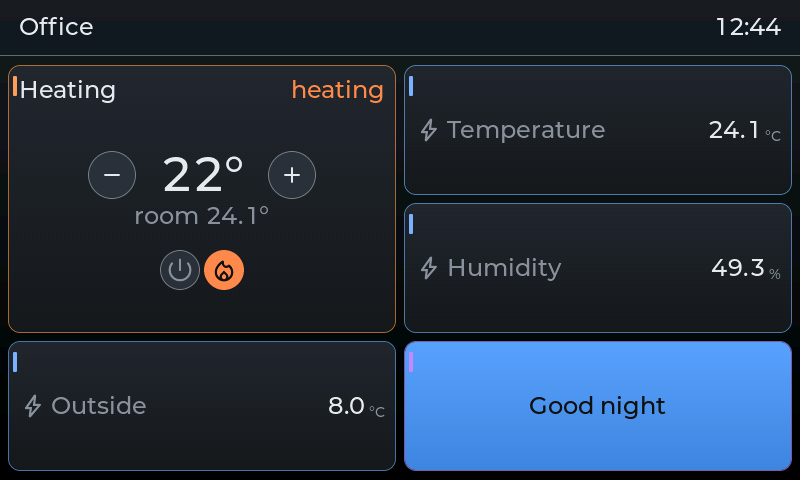
A thermostat ring to set the temperature, with the current reading and mode at a glance.
Scenes and schedules
Build scenes in the designer; the panel runs them for any system — by tap, or on a schedule by time, weekday or sunrise and sunset.
Robot vacuum
A live map of your home from the robot; tap a room on the map to clean it. Via Home Assistant.
Weather
Current conditions and a 5-day forecast from MET Norway for the panel location — no smart-home system needed. A weather entity from your system works too.
Intercom and entrance · 10.1″ panel
Who is at the door — on the wall, full screen
On the 10.1″ panel the door station is part of the screen, not a separate device.
Doorbell screen
When someone rings, the panel wakes up and shows the door station camera across the whole screen, with the buttons on the picture.
Answer on the panel
The panel takes the call from the door station over SIP — a two-way voice conversation right at the wall.
Cameras on the page
IP cameras on your home network appear on tiles, with a full-screen picture on a tap.
Call history
Missed and answered calls are listed on the panel.
Tested on the 10.1″ panel with an IP door station: ringing, a two-way conversation and the gate-open command.
Opening needs a hold, not a tap
Gates, wickets, garage doors, doors and locks open with press-and-hold, so a stray touch never opens anything. That is the default for every opening device; only a person in the designer can deliberately change it.
Setup and help
Screens laid out by conversation, help from a distance
Two ways to get the panel right — without handing over passwords.
- In testing
Remote help from your installer
Stuck? Ask your installer to help over the internet. Nothing connects until someone at home taps "I agree" on the panel.
- One-time code shown on the panel, a 60-minute session (each "Extend" adds 30 minutes), "End" any time.
- The installer sees the designer, the screen layout and the device list — not their states, cameras, the intercom, presence or passwords.
- Encrypted from the panel to the installer — the LumaSoft relay cannot read the content; every session is written to the panel’s log.
- Works
Lay out the screens by talking to AI
Installers can connect an AI assistant (MCP, for example Claude) to the panel and describe the screen in plain words: "a climate page with every thermostat, lights below".
- The assistant reads the device list and builds pages from ready-made layouts that fit the screen.
- Before saving it checks for cut-off names and empty tiles, and keeps a backup of the previous layout.
- It edits the screen layout only — it has no way to switch a light or open a gate.
Remote help is coming to all three screen sizes; so far it has been tested end to end on the 10.1″ prototype. The AI connection is approved with a code typed on the panel — no passwords in files.
Security and reliability
Local, signed updates, recovers on its own
Runs on your home network
The panel talks to your automation system locally, and the designer runs on the panel. Everyday control needs no cloud.
Signed updates
Updates arrive over the network and are digitally signed. The panel installs only a release with a valid signature, and updates never touch your project.
Your password stays in the browser
Your password never travels over the network — the browser proves it instead. Tools get a token only after you approve them, and only for what they need.
Recovers by itself
After a Wi‑Fi outage, a controller restart or a power cut, the panel reconnects on its own and reads the current state again. Service mode never deletes your project.
Hardware
Three screen sizes, one software
The same software adapts to each display. These are our prototypes — the final device family and enclosure are still in preparation.
10.1″
WorksLarge panel
- Screen
- 1280 × 800
Intercom, cameras and the richest layouts.
7″
WorksStandard panel
- Screen
- 800 × 480
Lights, blinds, climate, scenes and readings.
4″
In testingMini panel
- Screen
- 480 × 480
A small square screen for a single room.
No prices or launch dates yet — we will share them once they are certain.
Gallery
Screens from the prototypes
Screenshots from our prototypes — the finished product may look different.
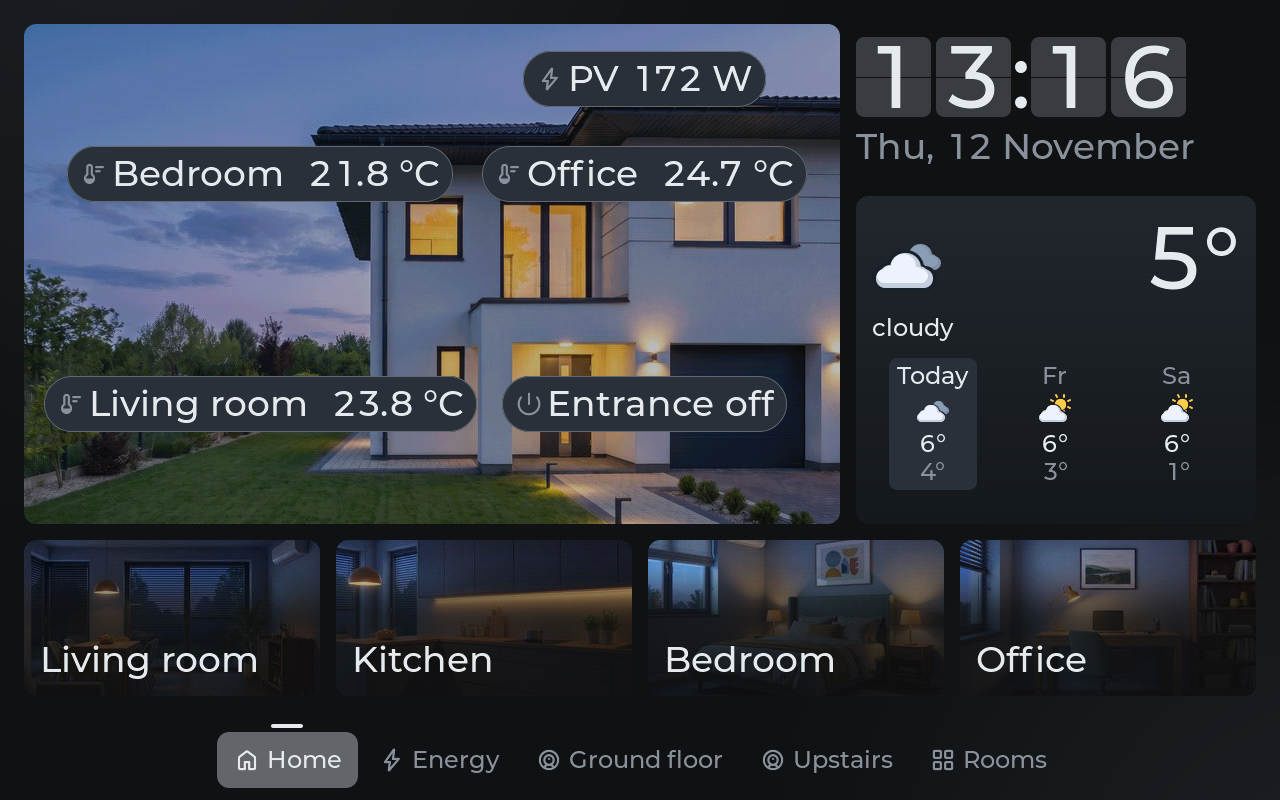
10.1″Home screen: the house with live readings, clock, weather and rooms 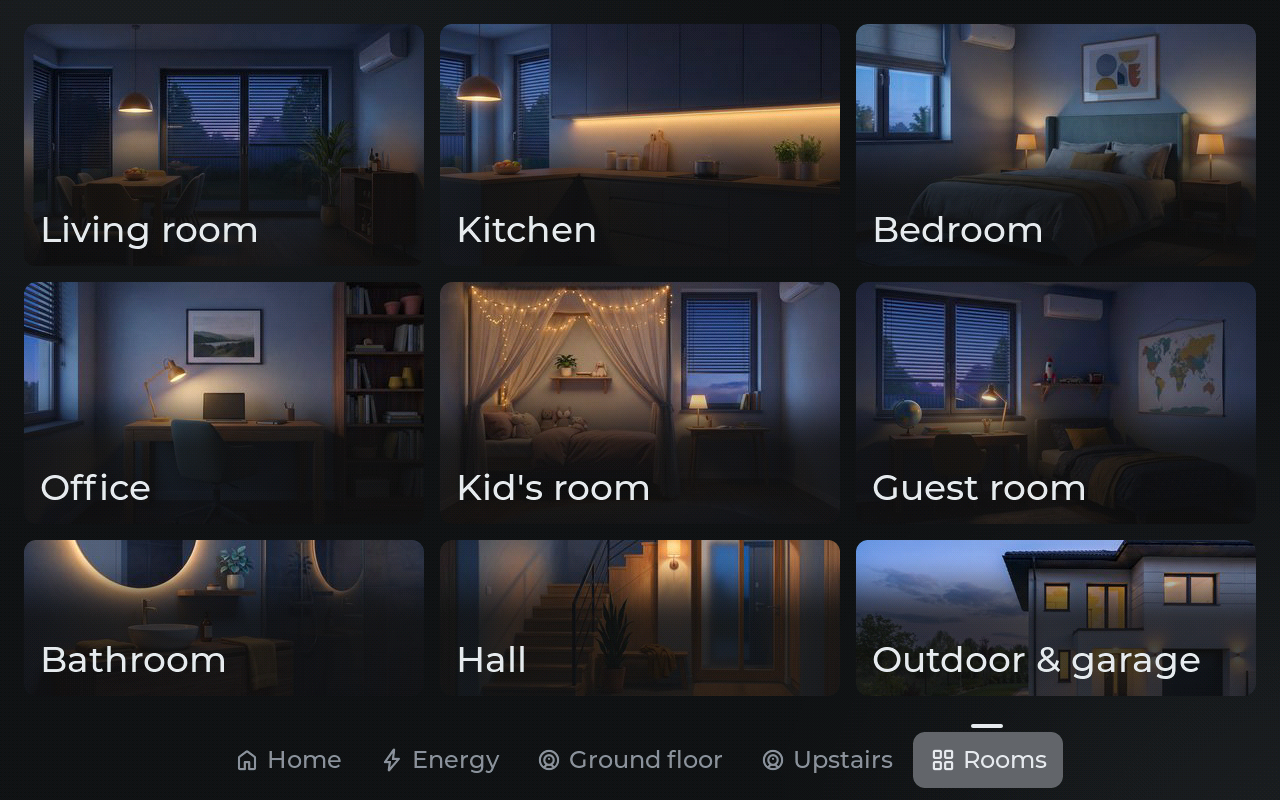
10.1″Rooms: nine illustrated tiles, each opening its room page 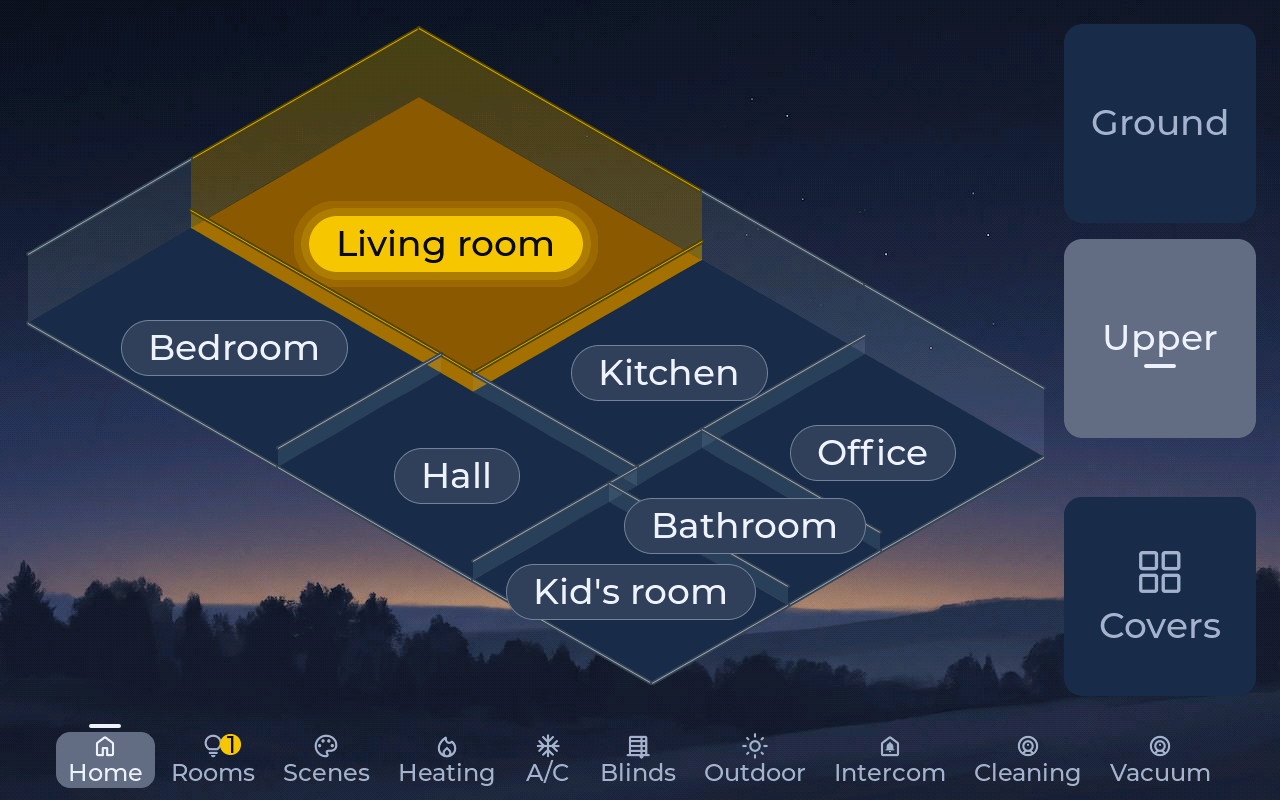
10.1″The house in 3D: rooms light up with their lights, low walls between rooms 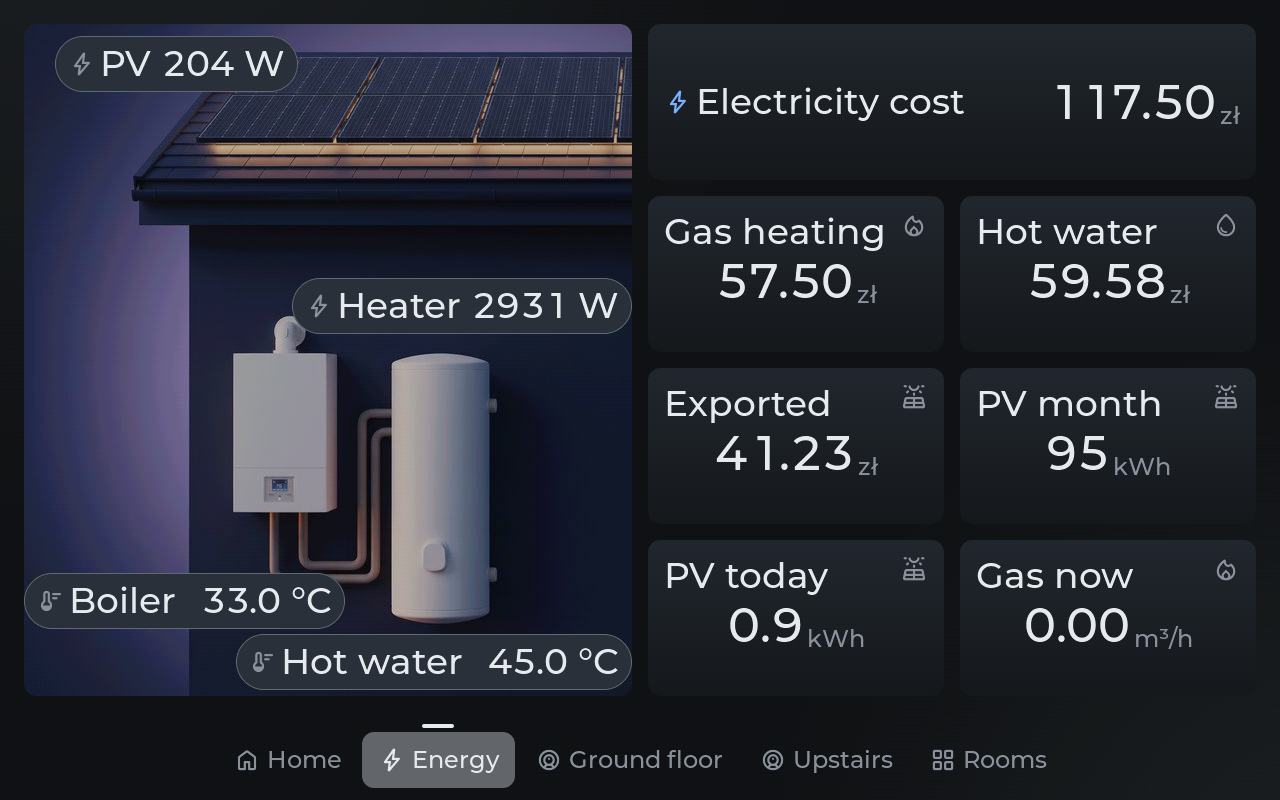
10.1″Energy: electricity and gas costs, solar, boiler and hot water 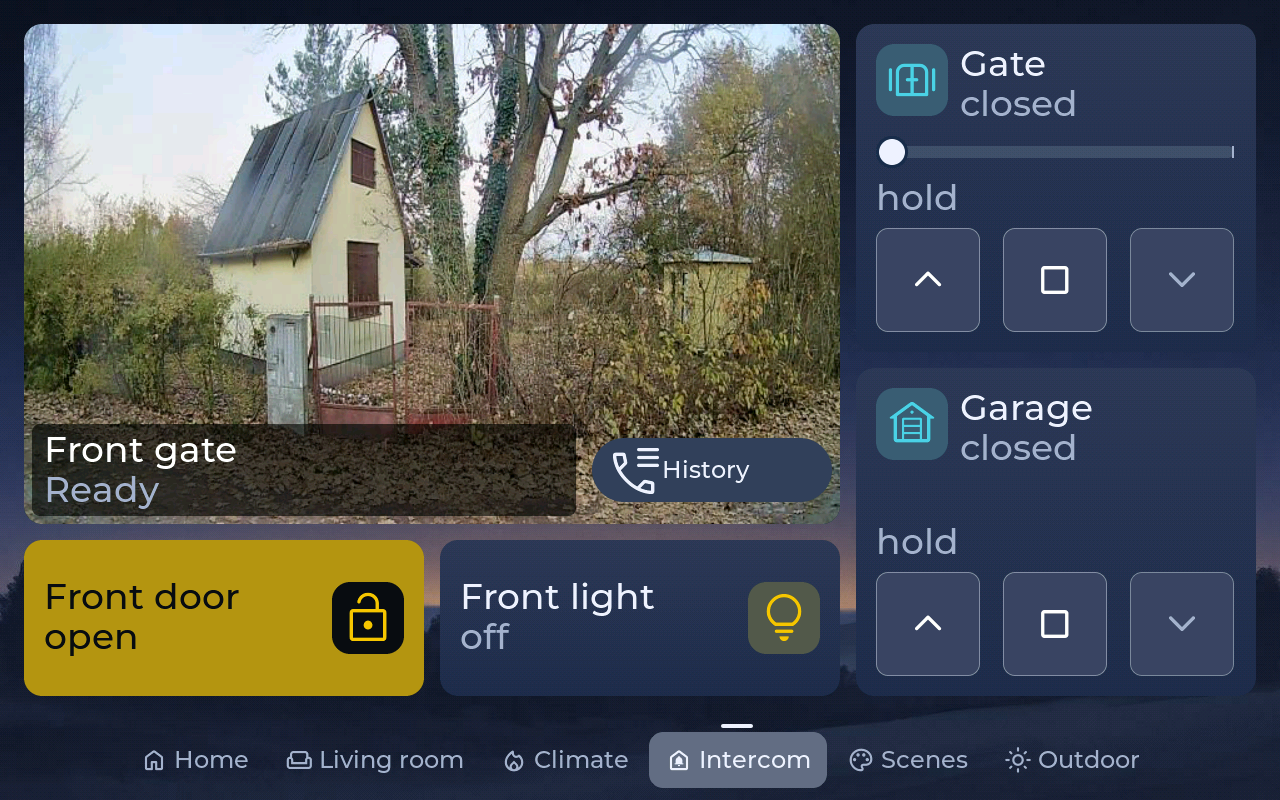
10.1″Intercom page with the live gate camera next to the gate and garage controls 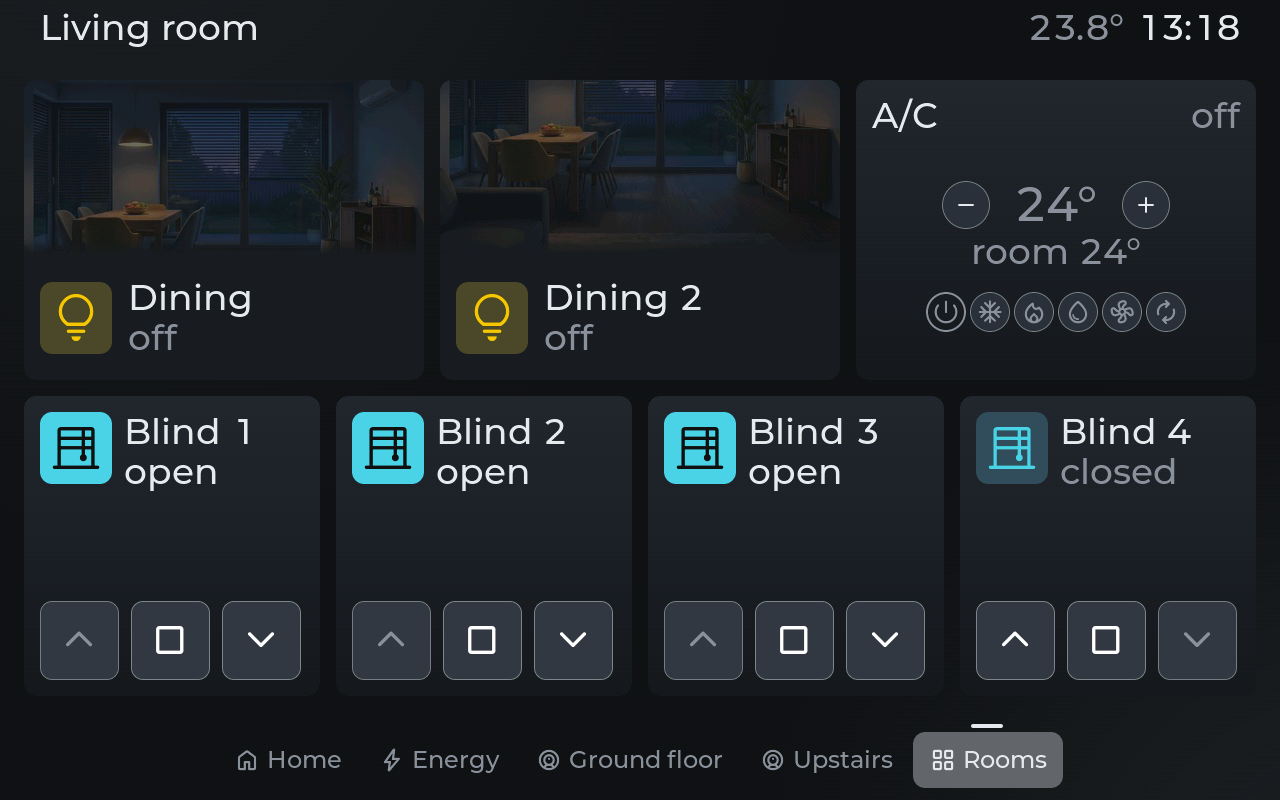
10.1″Living room: lights with a picture of the room, air conditioning and four blinds 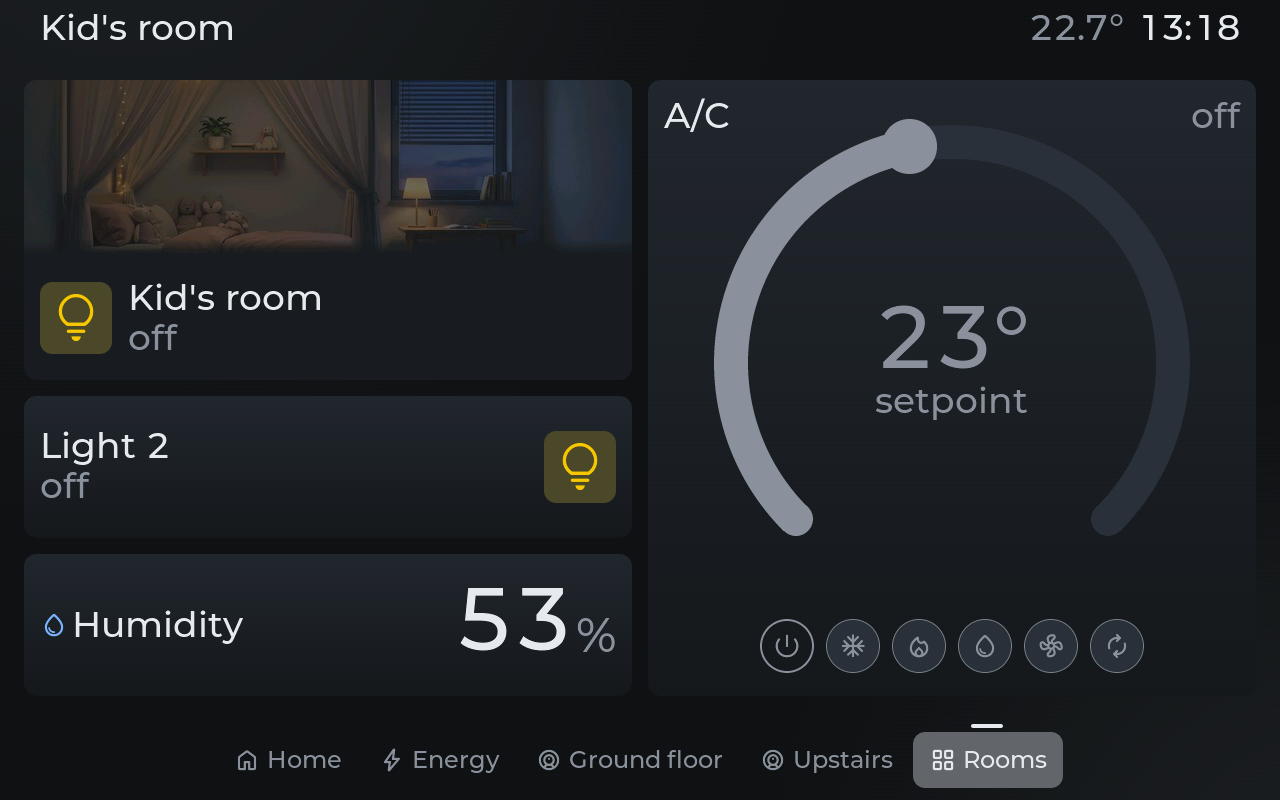
10.1″Kid’s room: an air conditioning ring, lights and humidity 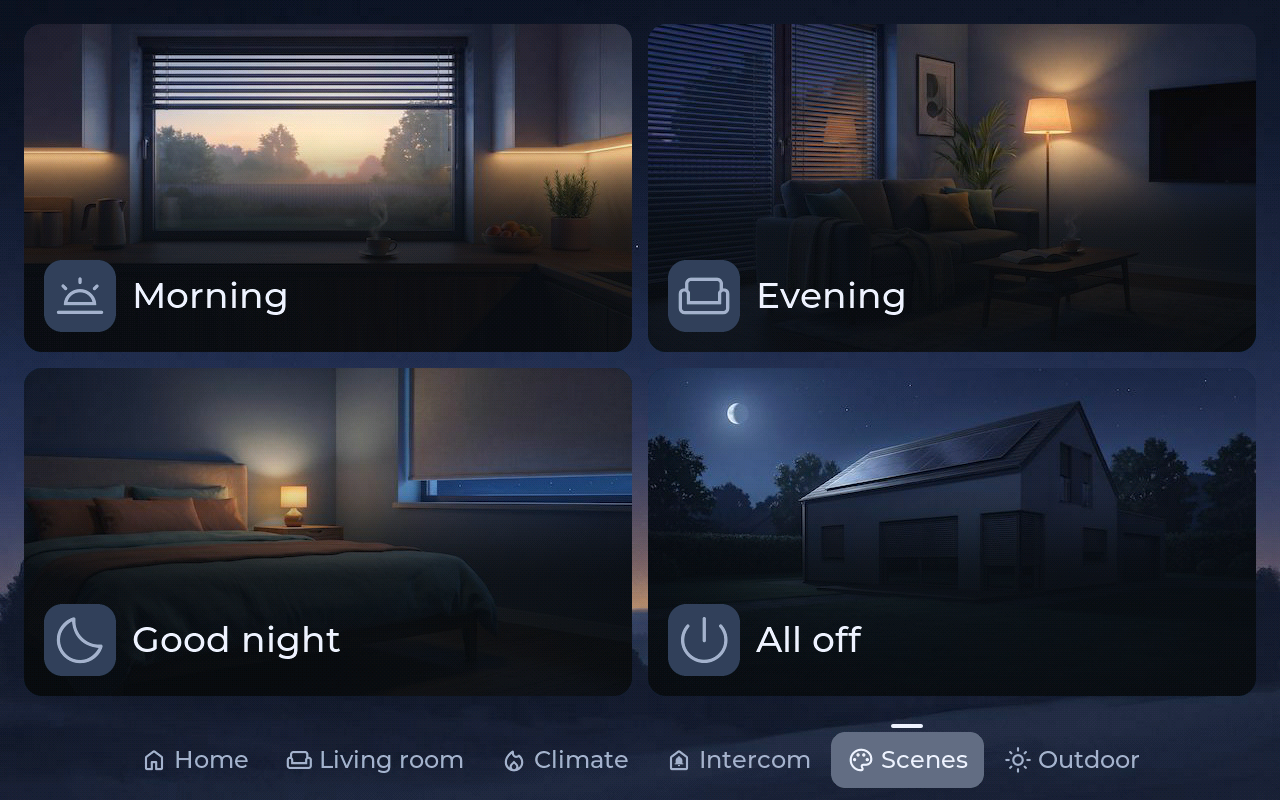
10.1″Scenes with pictures — Morning, Evening, Good night and All off in one tap 7″The same software on the 7″ panel: an Office page
Interested in early access?
Lumapanel is in development. Join the waitlist to hear first. Installing Loxone or Home Assistant? We are looking for installers for a pilot — write to us.